
Setup PhantomGuard CDN with GoDaddy

Blaise
Last Update 9 months ago
This guide explains how to point your domain from GoDaddy to PhantomGuard using custom nameservers.
PhantomGuard nameservers:
casper.phantomguard.io
myrtle.phantomguard.io
Prerequirements:
- PhantomGuard is already installed in your WordPress website.
- PhantomGuard license has already been set up.
1. Sign in to your GoDaddy Domain Portfolio.
2. Select an individual domain to access the Domain Settings page.
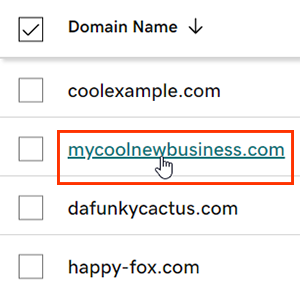
3. Select DNS and then select Nameservers.
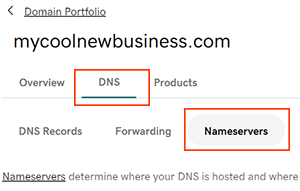
4. Choose the I'll use my own nameservers option and enter the following name servers.
5. Select Save and then Continue to complete your updates.
Most DNS updates take effect within an hour, but could take up to 48 hours to update globally.